Friday, 8 April 2016

CGA Gameplay and Interactivity - (Group Project) - Updated Hearts and Mana Whisps

LOVE FOR BAE EWAN LOOK AT THESE HEARTS I HAVE LOST IT MENTALLY.

So as you can see i have done a updated sprite sheet for the hearts for the game.
 I have also updated the wisps.

In game:


Wednesday, 6 April 2016

CGA Gameplay and Interactivity - (Group Project) More things, Mana System and actual Wall Climbing!

As I mentioned before one of my group member has done the dialogue system after doing that he then implemented other things to help make the story of the game go more smoothly .

Such as when fighting the mushroom guardian... when you beat him a new scene will load and a village will come and interact with you taking you to the next stage,


He's done some more like when rescuing the little mushroom kid.


Now onto the mana system, I got an other group member to try and do the mana system almost like how when I did the Health system although this didn't work in the end .


So in the end i got some help with Ewan and he told me that we can use a Slider in the canvas to be used as a mana bar.


So I made the mana static so it's gllobal, now all i had to do was use a script to reference the mana from the player onto the slider which is used as a mana bar.

I was being stupid and a idiot and I tried to do it in a way which wasn't even logical or was thinking long way's round it... in the end I asked Ewan for help again and he did a ManaGUI script for me.


 After that it was't too hard... all I did then was add something into the Weapon script where if the player had more than 0 mana it would be able to shoot and as a consequence would take away 10 mana... so effectivly it would cost you 10 mana to shoot out of 100 mana. I then do a else return where if it then only had 0 mana remaining it would not shoot.

I then quickly made a sprite of a "mana wisp" and added it into game.

I then made a piece of code and attached it to the gameobject which has the mana wisp sprite.
What the code does it basically Give you back 30 mana when collected if your current mana is less or equal to 70. I also did else state to set your mana vale to 100 if you had 70/80/90 mana left otherwise without the else statement it would give you more than 100 mana which isn't what we want. 

Now onto the proper wall jumping. I removed the Physics2D material from the boxcollider on the player which made the player iceskate and move up walls..

So instead added a few things into the player movement script.


(This part was in the Void Update function)

 I added a wall check onto the player which Is placed slightly in front of the player.
 Then attached it to he movement script.

Sunday, 3 April 2016

CGA Visual Design - Sci-Fi Ship

So for Home work we had to come up with an idea of a sci-fi military ship that is believable and is set in the next 100 years.

MoodBoard:


I have done quite a few concepts, I went back to looking at form language when we had to do quick sketches and concepts for sci-fi digging/construction machine/ vehicles and looked at things flow with each other and what changes would suit each other which I then combined together.
 I chose the 2 that I liked the most, and after I looked at which would be the most easiest to 3D model and would look best when it was finished... personally I think both would have looked really cool with a finished 3D model. In the end I decided to choose number 1 because it is almost has  perfectly round semi circles or square shapes which can be easily done in Maya 2016.


I then went on to quickly tidy up the sketch and do a top and back view to help me when modelling it.


After Modelling it, I then did 9 normal renders from different angles... just experimenting and exploring the best view I could have it in.

After I did 4 more renders but this time I had a light source to bring out some of the areas better giving it more depth and detail.


I narrowed it down to 3 which I thought was the best. I wanted one which has the view on almost everything and the would which would be the coolest so I chose the first one.


I did some quick colour schemes and added some textures onto them. I wanted an idea of the ship that's already been out in battle so I put a texture on which had quite a few scratches on a metal.
To give more impact to a certain area, I have also put a kind of dent texture on as well. I have also out on some rust texture to make it look like it's been out there for quite some time.


When I was experimenting with different colours to find which one I liked the most, I kind of added different bits and pieces of detail for each one to give out more characteristic while also trying to match the colour or it was just to change things up a little bit.


Final:
In the end I liked the green one over all because the colour stands out far better than the others and I felt like it has much more of a impact. Over all I am happy with the final piece, although I could do something between the contrast of the ship and earth as it looks like it doesn't quite fit each other. The 3D model was roughly the same as what I had planned it to be but changed a few things to put and such.


Saturday, 2 April 2016

CGA Gameplay and Interactivity - (Group Project) Bat Detection still not fixed :(

Now I've been trying to fix this bat detection problem for a while now but I decided to revisit it over Easter Holidays, where the bat is supposed to go after you when it see's you.  

Using the same the same piece of code from before... I have also tried using other pieces of code before posting this one from before... all came to the same result of the enemy not detecting the player and not moving towards them


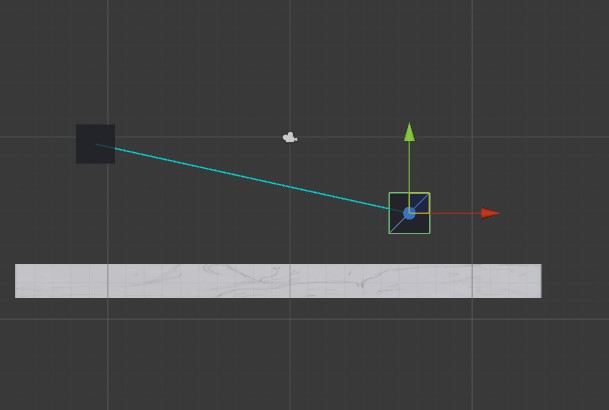
I have tested it a few times in many ways such as making a new project and testing it through 2 cubes.

Most of the time it was hitting the floor even though the raycast shown is isn't really even neat the floor that I have put down. The left cube wouldn't even move towards the right cube.

I then started moving the right cube around which is meant to be the player but didn't get much of a result out of that as it was either saying it was hitting the floor again or it was hitting nothing.

After moving it up there was some success as it said it was hitting the player cube which was weird because it only detected the player with the top right area. I even moved it to the left side of the other cube but got the same result from before saying it was hitting the floor or nothing.

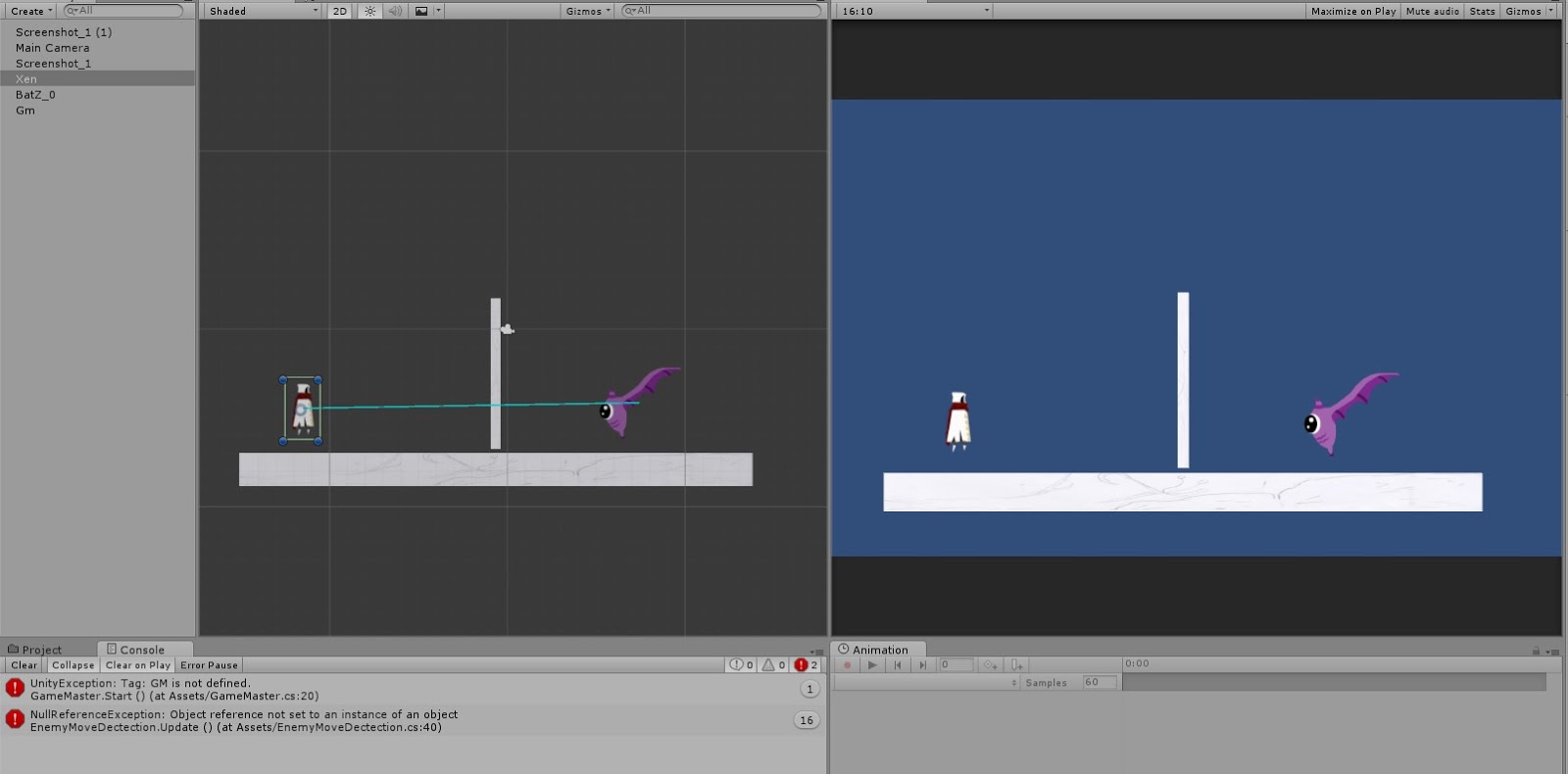
Later in the Easter Holiday I then tried again in another new project but using the sprites but also just similar results from the last test.

Although this time it seemed to be following the player... but still ignores the ray cast hitting or detecting the wall right in front of it. It also ignores and doesn't detect the player like usual.


Well if I can't actually show you what was meant to happen I am hoping to explain it to you.
So at this point the bad isn't meant to be able to see you so it would just stay in that one place flapping it's wings like it has no care for the world.


Now it's meant to be able to see you and start flying towards you like a furious predator hunting it's prey maybe... It's a bat... but lets just pretend it some big flying monster for now.


So then the giant flying monsters goes full speed at you with the intention to kill but we got a bat so I guess it can't do much if we can just shoot it to death.


I then talked to my Gameplay and Interactivity teacher Ewan ( Our Lord and Saviour ) after the Easter Holiday's 
So I basically explained to him that I have done a few tests and they don't work and he responded with " Your game is fine, just leave it as it is" So essentially... I guess I can leave it.