Showing posts with label CGA Gameplay and Interactivity. Show all posts

Friday, 8 April 2016

CGA Gameplay and Interactivity - (Group Project) - Updated Hearts and Mana Whisps

LOVE FOR BAE EWAN LOOK AT THESE HEARTS I HAVE LOST IT MENTALLY.

So as you can see i have done a updated sprite sheet for the hearts for the game.
 I have also updated the wisps.

In game:


Wednesday, 6 April 2016

CGA Gameplay and Interactivity - (Group Project) More things, Mana System and actual Wall Climbing!

As I mentioned before one of my group member has done the dialogue system after doing that he then implemented other things to help make the story of the game go more smoothly .

Such as when fighting the mushroom guardian... when you beat him a new scene will load and a village will come and interact with you taking you to the next stage,


He's done some more like when rescuing the little mushroom kid.


Now onto the mana system, I got an other group member to try and do the mana system almost like how when I did the Health system although this didn't work in the end .


So in the end i got some help with Ewan and he told me that we can use a Slider in the canvas to be used as a mana bar.


So I made the mana static so it's gllobal, now all i had to do was use a script to reference the mana from the player onto the slider which is used as a mana bar.

I was being stupid and a idiot and I tried to do it in a way which wasn't even logical or was thinking long way's round it... in the end I asked Ewan for help again and he did a ManaGUI script for me.


 After that it was't too hard... all I did then was add something into the Weapon script where if the player had more than 0 mana it would be able to shoot and as a consequence would take away 10 mana... so effectivly it would cost you 10 mana to shoot out of 100 mana. I then do a else return where if it then only had 0 mana remaining it would not shoot.

I then quickly made a sprite of a "mana wisp" and added it into game.

I then made a piece of code and attached it to the gameobject which has the mana wisp sprite.
What the code does it basically Give you back 30 mana when collected if your current mana is less or equal to 70. I also did else state to set your mana vale to 100 if you had 70/80/90 mana left otherwise without the else statement it would give you more than 100 mana which isn't what we want. 

Now onto the proper wall jumping. I removed the Physics2D material from the boxcollider on the player which made the player iceskate and move up walls..

So instead added a few things into the player movement script.


(This part was in the Void Update function)

 I added a wall check onto the player which Is placed slightly in front of the player.
 Then attached it to he movement script.

Saturday, 2 April 2016

CGA Gameplay and Interactivity - (Group Project) Bat Detection still not fixed :(

Now I've been trying to fix this bat detection problem for a while now but I decided to revisit it over Easter Holidays, where the bat is supposed to go after you when it see's you.  

Using the same the same piece of code from before... I have also tried using other pieces of code before posting this one from before... all came to the same result of the enemy not detecting the player and not moving towards them


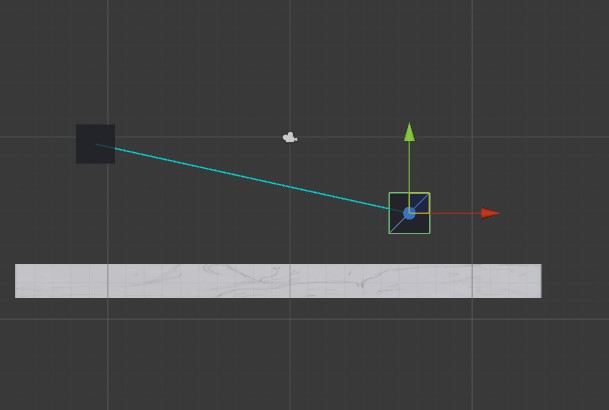
I have tested it a few times in many ways such as making a new project and testing it through 2 cubes.

Most of the time it was hitting the floor even though the raycast shown is isn't really even neat the floor that I have put down. The left cube wouldn't even move towards the right cube.

I then started moving the right cube around which is meant to be the player but didn't get much of a result out of that as it was either saying it was hitting the floor again or it was hitting nothing.

After moving it up there was some success as it said it was hitting the player cube which was weird because it only detected the player with the top right area. I even moved it to the left side of the other cube but got the same result from before saying it was hitting the floor or nothing.

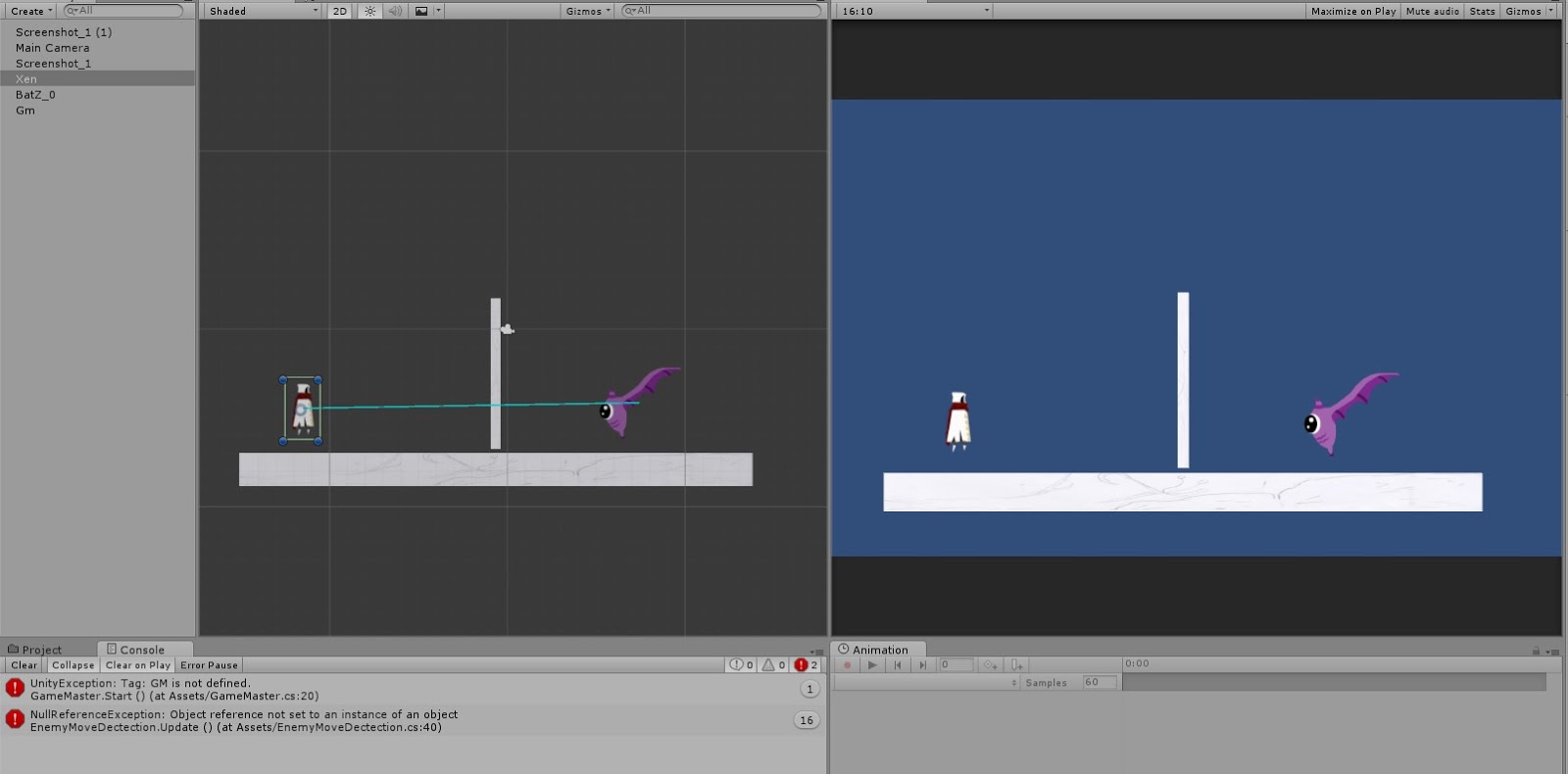
Later in the Easter Holiday I then tried again in another new project but using the sprites but also just similar results from the last test.

Although this time it seemed to be following the player... but still ignores the ray cast hitting or detecting the wall right in front of it. It also ignores and doesn't detect the player like usual.


Well if I can't actually show you what was meant to happen I am hoping to explain it to you.
So at this point the bad isn't meant to be able to see you so it would just stay in that one place flapping it's wings like it has no care for the world.


Now it's meant to be able to see you and start flying towards you like a furious predator hunting it's prey maybe... It's a bat... but lets just pretend it some big flying monster for now.


So then the giant flying monsters goes full speed at you with the intention to kill but we got a bat so I guess it can't do much if we can just shoot it to death.


I then talked to my Gameplay and Interactivity teacher Ewan ( Our Lord and Saviour ) after the Easter Holiday's 
So I basically explained to him that I have done a few tests and they don't work and he responded with " Your game is fine, just leave it as it is" So essentially... I guess I can leave it.


Friday, 18 March 2016

CGA Gameplay and Interactivity - (Group Project) Dialogue and Score fixing

Another member of my group project has done a script for dialogue so now you can talk to the Leader of the mushroom village and the mushroom kid for the story.


 Slight problem
While I was playing through the game to test out how it is and to find any bugs that I could fix, I encountered a slight problem with the score system. I can carry the score I currently have through to the next level which is fine but because I have't actually done anything to punish the player for dying such as reducing the score. The player can just kill the enemies in the level and collect the gems and die in that level and repeat the process to get a higher score because I haven't don't anything to reduce the score.

Kill and collect gem, score =2

Die and respawn, score =2

Kill again and get gem , score = 3

So as you can see this is quite a big problem but not one that is hard to fix so I added one line of code onto the player script where if you dye, you would lose 3 points.


Then I encountered another problem.... you would now go into the -/minus score. This can be easily fixed as well.

Then I add this in. I tested it in game and it works, so basically if it is a score such as 1 and I die normally it will subtract 3 points away but instead of doing that it will set the score to 0.


Friday, 4 March 2016

CGA Gameplay and Interactivity Week 21 - Score and Main menu

So In our lesson we did a score system and main menu for the little game our teacher is doing with us to help us with our game. As I said in my last post I have already done a score system and a main menu before the lesson started so it wasn't too difficult but it did refresh my memory on how to get the buttons working for the main menu. I find that part quite hard to remember after watch a video on main menus.


This script was put on a image object which is the child of a Canvas within the scene

We also changed the enemy script a bit to make them give us points when they die.


CGA Gameplay and Interactivity - (Group Project) Score System and Pause Menu

I have done a score system which means the gems finally have a purpose in this game!


One of my group members have done the Pause Menu will all functioning buttons and can be accessed by pressing the esc button.


I have also added a something to the weapon script implementing a cooldown system for the staff.


After doing this, we went into our gameplay and interactivity lesson only to find out that we were going to do a score system and main menu... oh well it didn't matter to much I still did the lesson just in case I could pick up something I may have missed.